Table map and table management
Your dining room,
at a glance
See on your own floor plan which tables are busy and what each has open. Tap a table and the order is right there, item by item – add to it, move it or bill it.

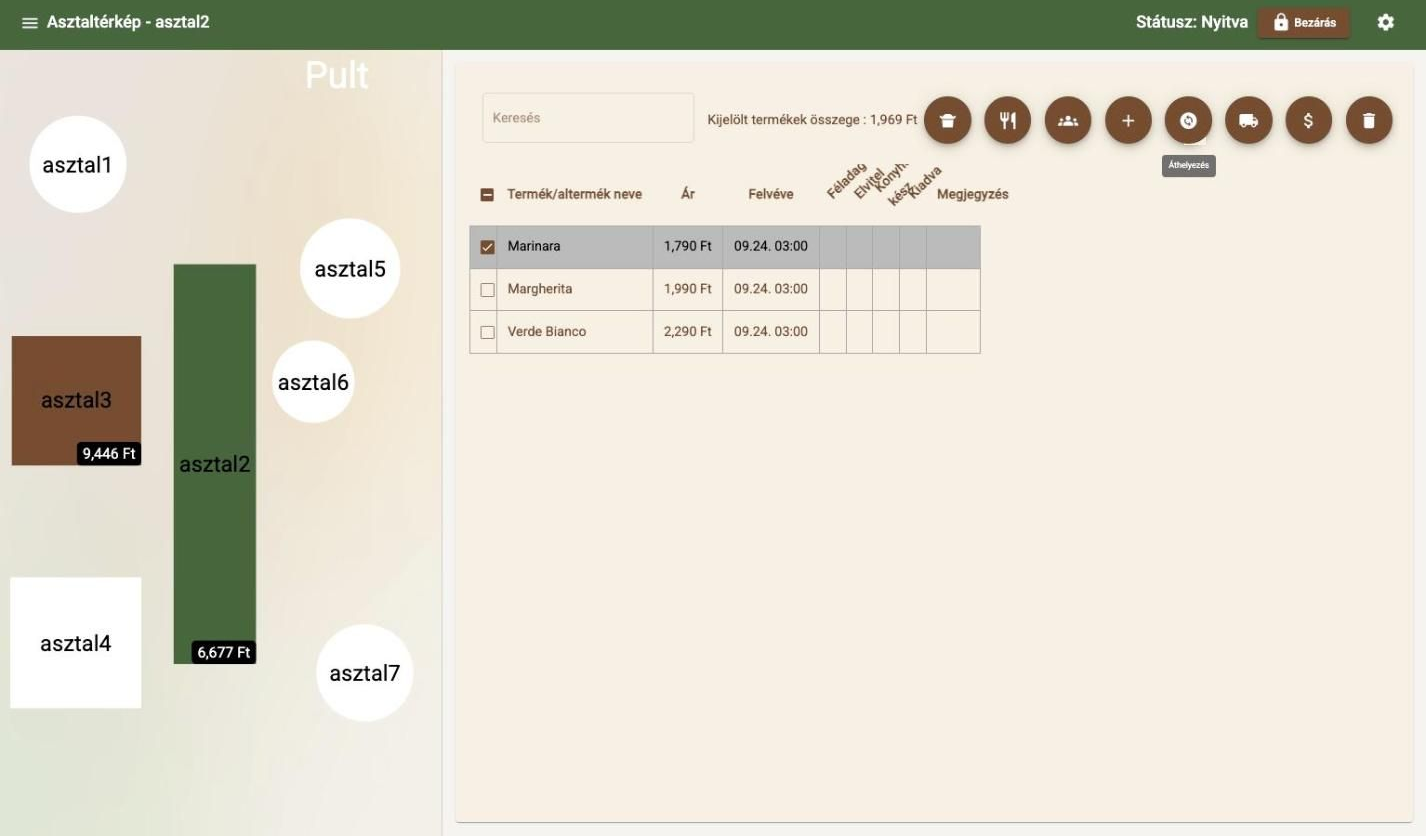
Select a table
How it works
From booking to payment, on one map
The table management system follows the guest all the way: the reservation, the order and the bill all belong to the same table.
- Booking
- Guest arrives
- Table
- Order
- Payment
Table 3 · 9,446 HUF open01
Tap a table and it is all there
See open totals on your own floor plan. One tap and the order is right there, item by item – on the same floor plan your table reservations use.
Table reservations02
Everyone pays for what they had
The party pays separately? Split the items in one tap and everyone gets their own bill – by card, in cash or with a SZÉP card.
What table management includes
- Table map on your own floor plan
- Open totals on busy tables
- Multiple rooms and floors
- Split payment per guest
- Moving items, merging tables
- Shared floor plan with table reservations
Want to see how your own floor would look?
Related features
Works well together with
- Table reservationsAn online booking page and internal booking management – on the same floor plan as your orders.
- Order taking and POSColour-coded categories, toppings, half portions, takeaway and discounts – an order in a few taps.
- Invoicing and paymentsCash, card, split payments and split bills – in one window, with no mental arithmetic.
- Kitchen printing and KDSTicket or screen: orders reach the kitchen instantly, and ready dishes are flagged.
Contact
Let's talk about how it would work for you
Tell us what kind of venue you run, and we will get back to you with a tailored demo.
Get in touch
- Emailinfo@orderly.hu
- Phone+36 30 644 7805