A few taps,
and the order is in
A restaurant till built for touchscreens: counter staff and servers put together an order in a few taps and always see the total in the basket – for tables, the counter, takeaway or delivery.

Categories
An order-taking system that never slows you down
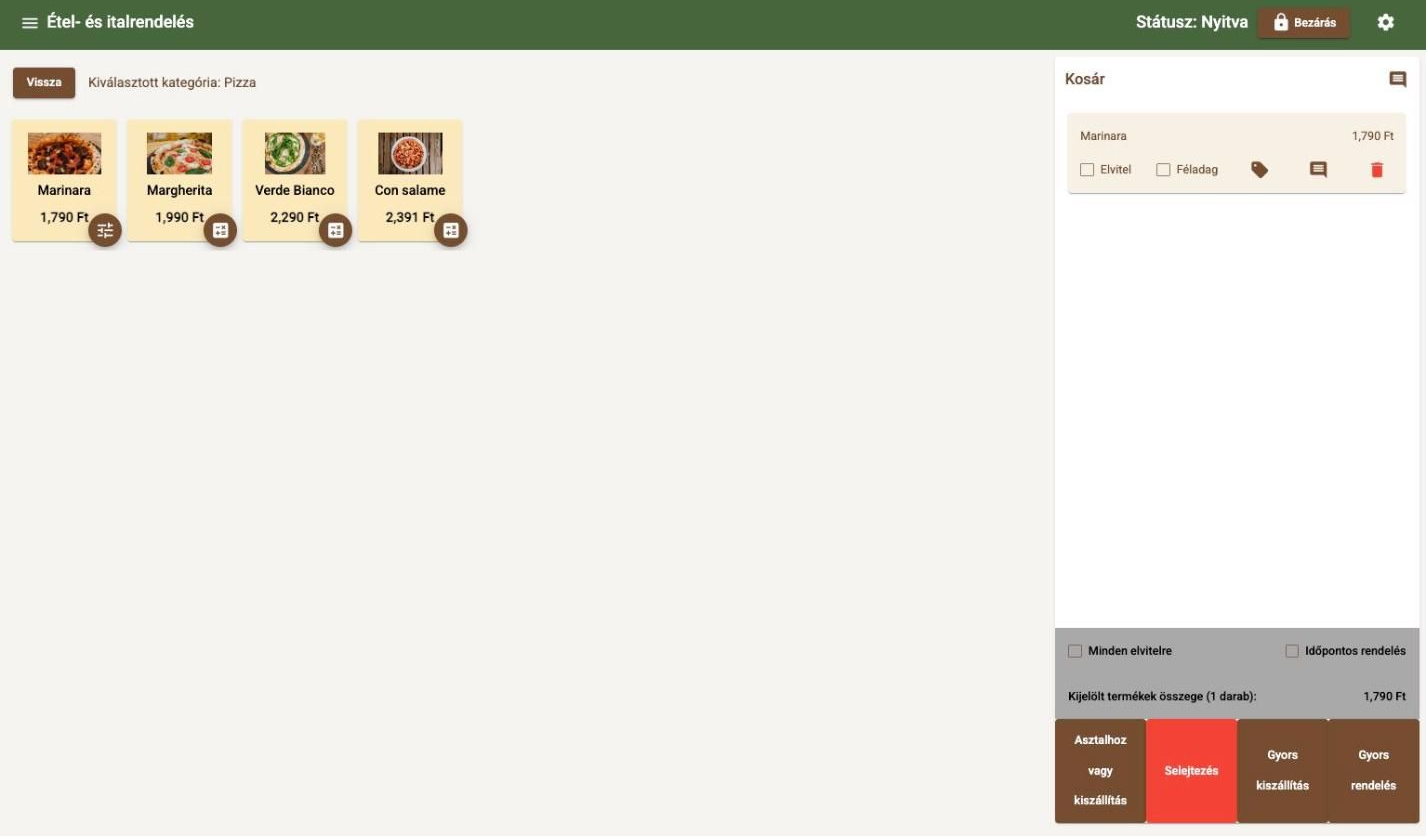
From category to sending the order, everything happens on one screen – no extra menus or windows.
Favourites: your best sellersFind anything at a glance
Every category gets its own colour, and the Favourites tile gathers your best sellers in one place. New staff get the hang of it on their first shift.
 +100 HUF / toppingFree toppings tracked
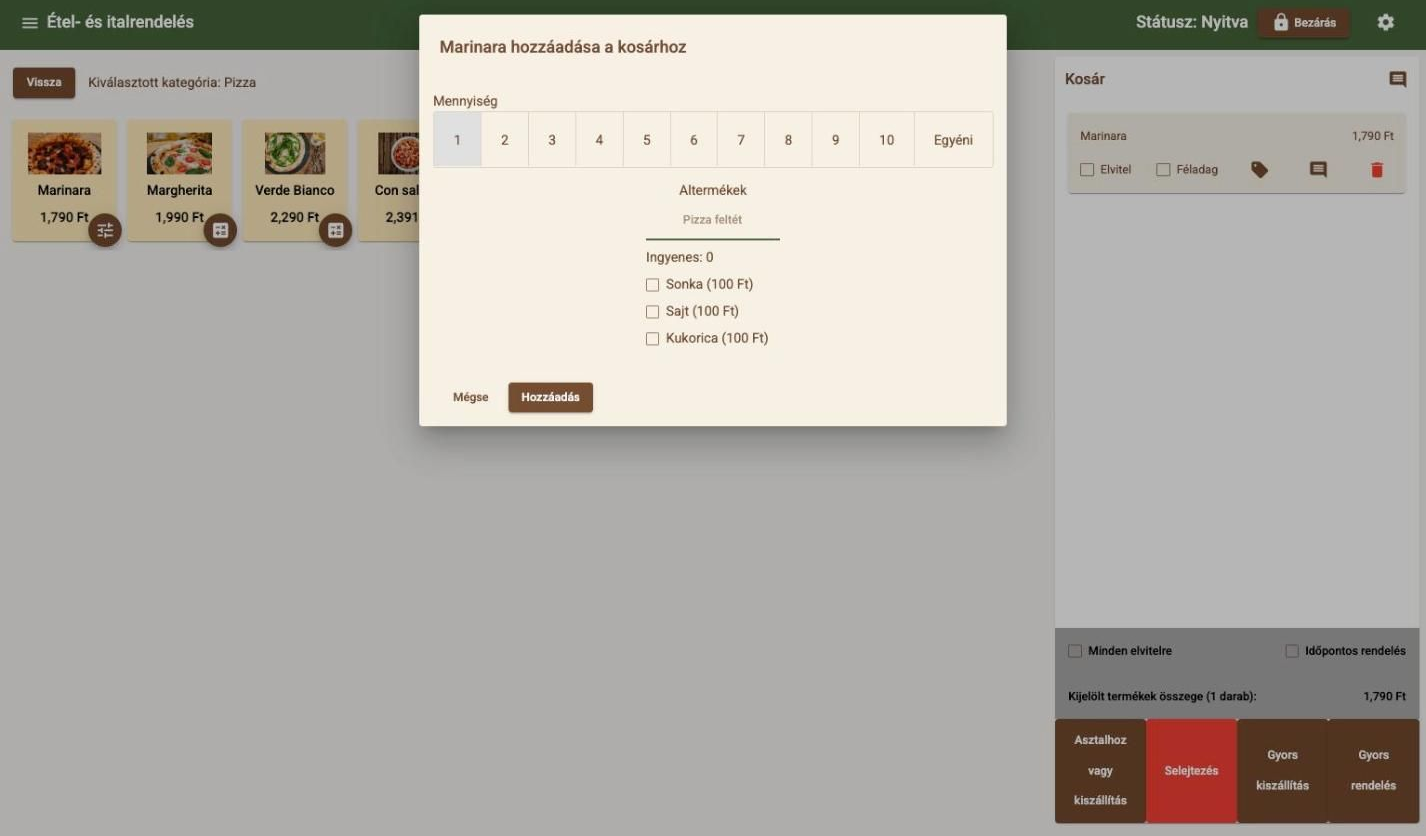
Toppings, sizes, quantity – in one window
Ham, cheese, extra sweetcorn: the till adds up the extras and keeps track of how many free toppings are left.
 Half portion: price halves itself+ packaging fee, automatically
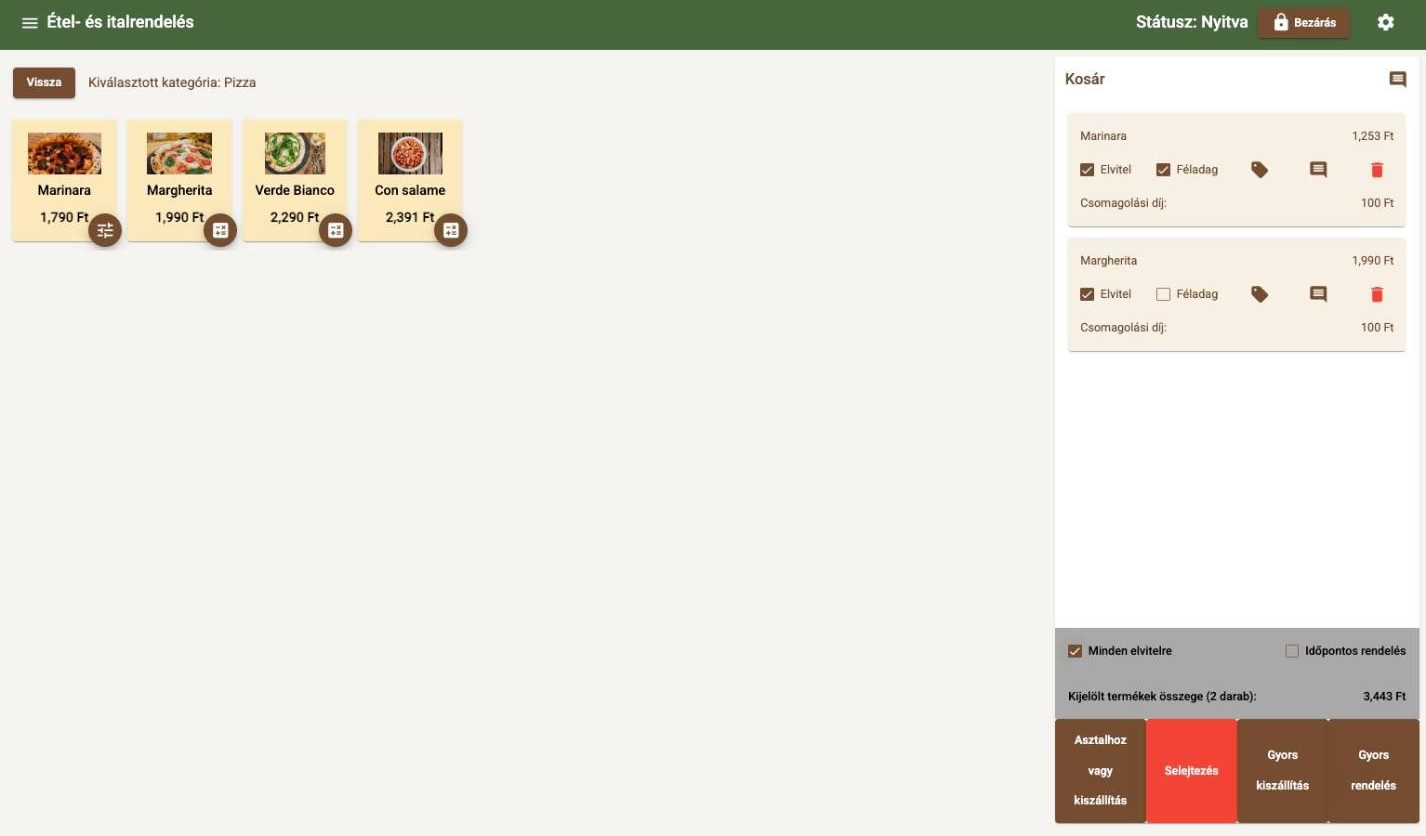
Half portions, takeaway, discounts in one tap
Tick a box and the portion costs half. For takeaway the packaging fee is added for you, and “All takeaway” switches the whole basket. Discounts work per item or for the whole order.
 Table 5 · order sent
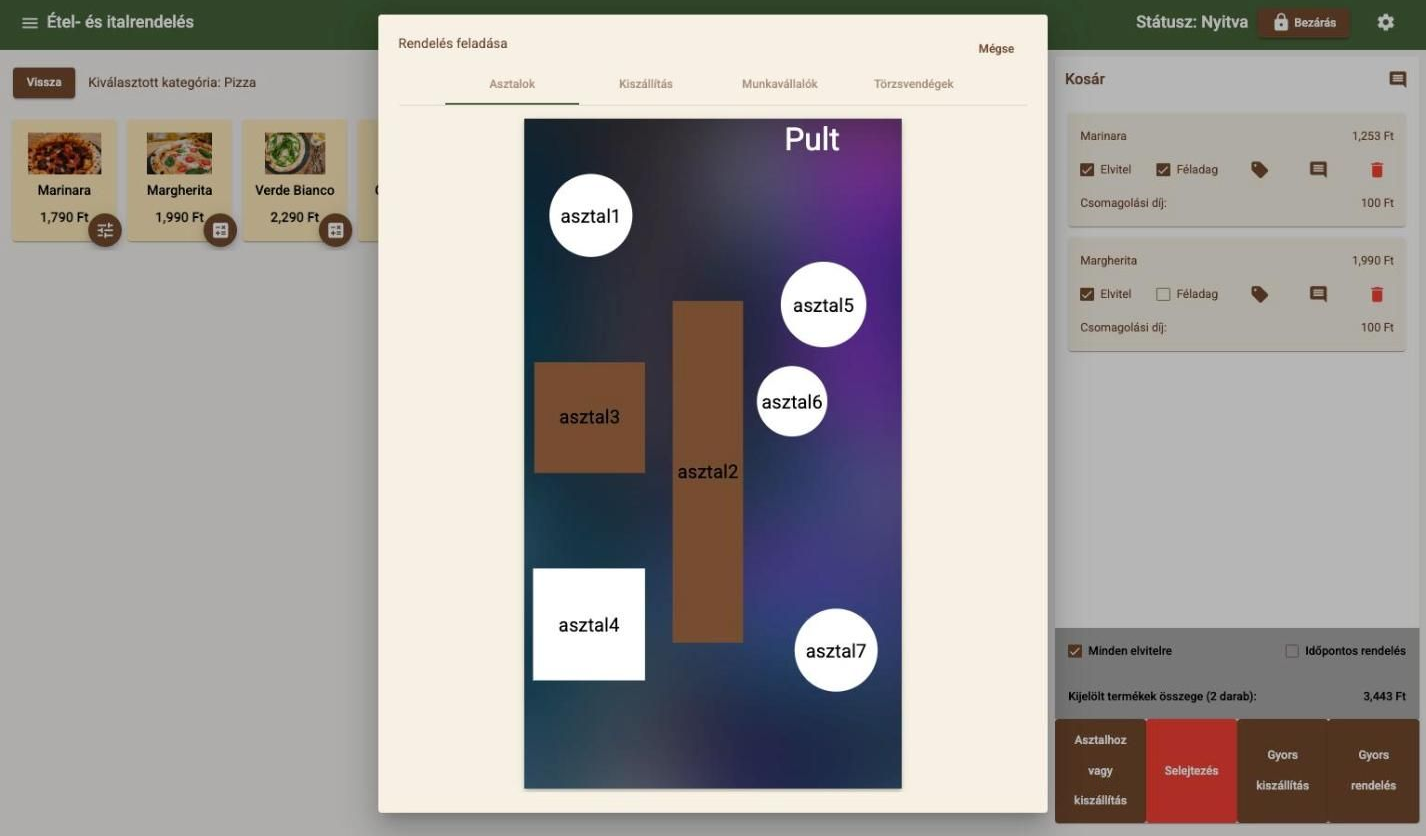
To a table, the counter or for delivery
One tap on your own floor plan and the order is at the table. At the counter, Quick order sends everything in one step, and separate tabs cover delivery, staff consumption and regulars.
Table map and table managementChange it once, it applies everywhere
There is no separate menu system. Change a price or take a sold-out item off, and it applies instantly at the till, on the online menu and on kitchen tickets – and on Wolt too with menu sync. You can load the whole menu from a single Excel file, and promotions start and stop on their own.
What the till includes
- Colour-coded categories and Favourites
- Toppings and sizes with min./max. choices
- Half portions at half price, automatically
- Takeaway with separate VAT and packaging fee
- Table orders on your own floor plan
- Quick order and quick delivery
- Item and basket discounts
- Service charge and tips
Works well together with
- Table map and table managementYour own floor plan with open tabs – one tap shows what is on the table.
- Invoicing and paymentsCash, card, split payments and split bills – in one window, with no mental arithmetic.
- Kitchen printing and KDSTicket or screen: orders reach the kitchen instantly, and ready dishes are flagged.
- Online ordering and QR menuYour own online menu and QR code: counter, table or delivery orders – at just 0.5% commission.
- Pre-ordersScheduled orders that appear in the kitchen exactly when it is time to start them.
Let's talk about how it would work for you
Tell us what kind of venue you run, and we will get back to you with a tailored demo.
Get in touch
- Emailinfo@orderly.hu
- Phone+36 30 644 7805