Table reservations
Bookings around the clock,
without the phone calls
Guests choose a time and a table online, even on the floor plan. Phone bookings go into the same place – and when the guest arrives, the order belongs to the same table.
Online booking
How it works
From booking to table, in one system
- Online booking
- Confirmation
- Guest arrives
- Table and order
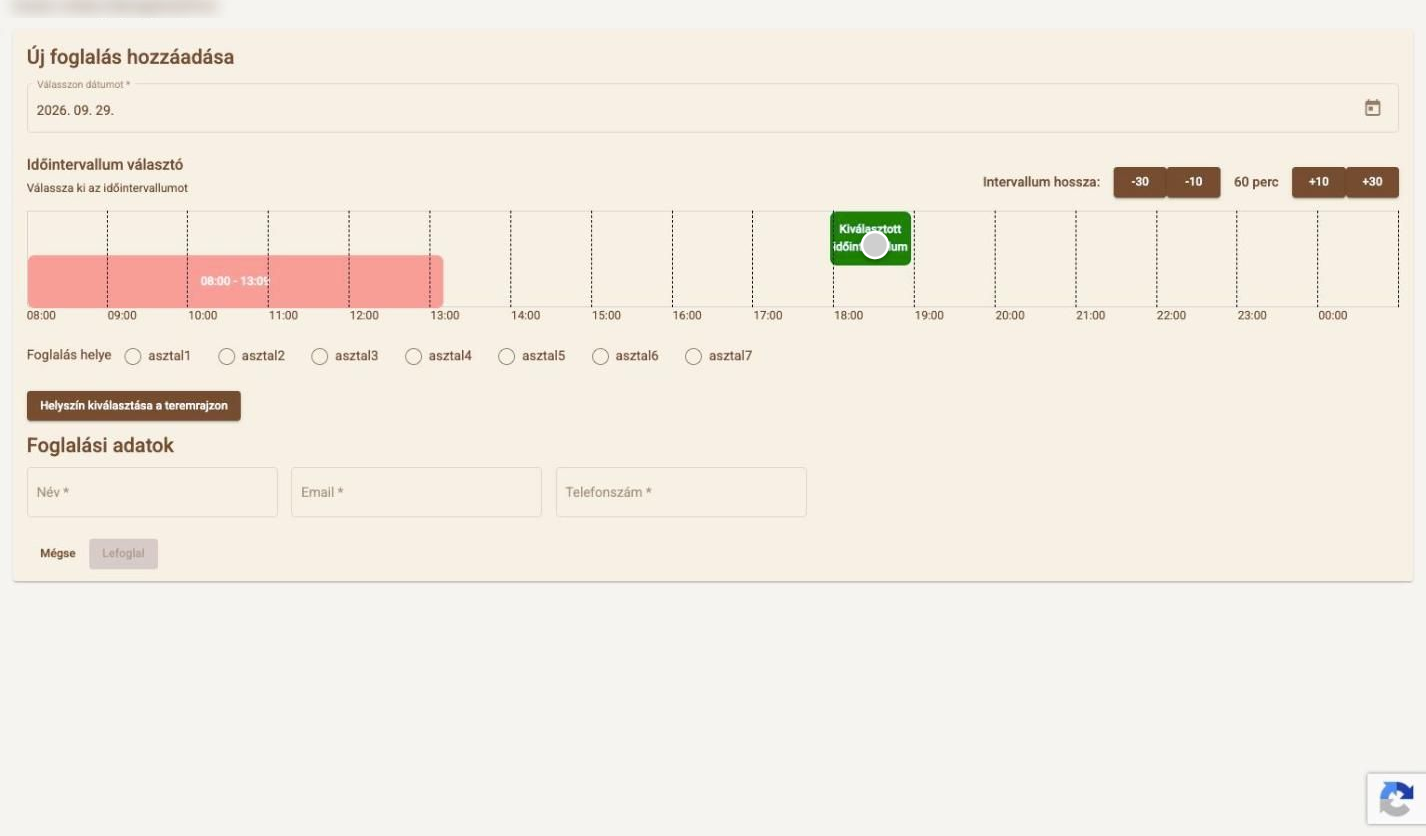
 Booked slots in red
01
Guests only see free slots
Booked slots show in red, and times outside opening hours cannot be picked. No double bookings.
 Table 5 · free
02
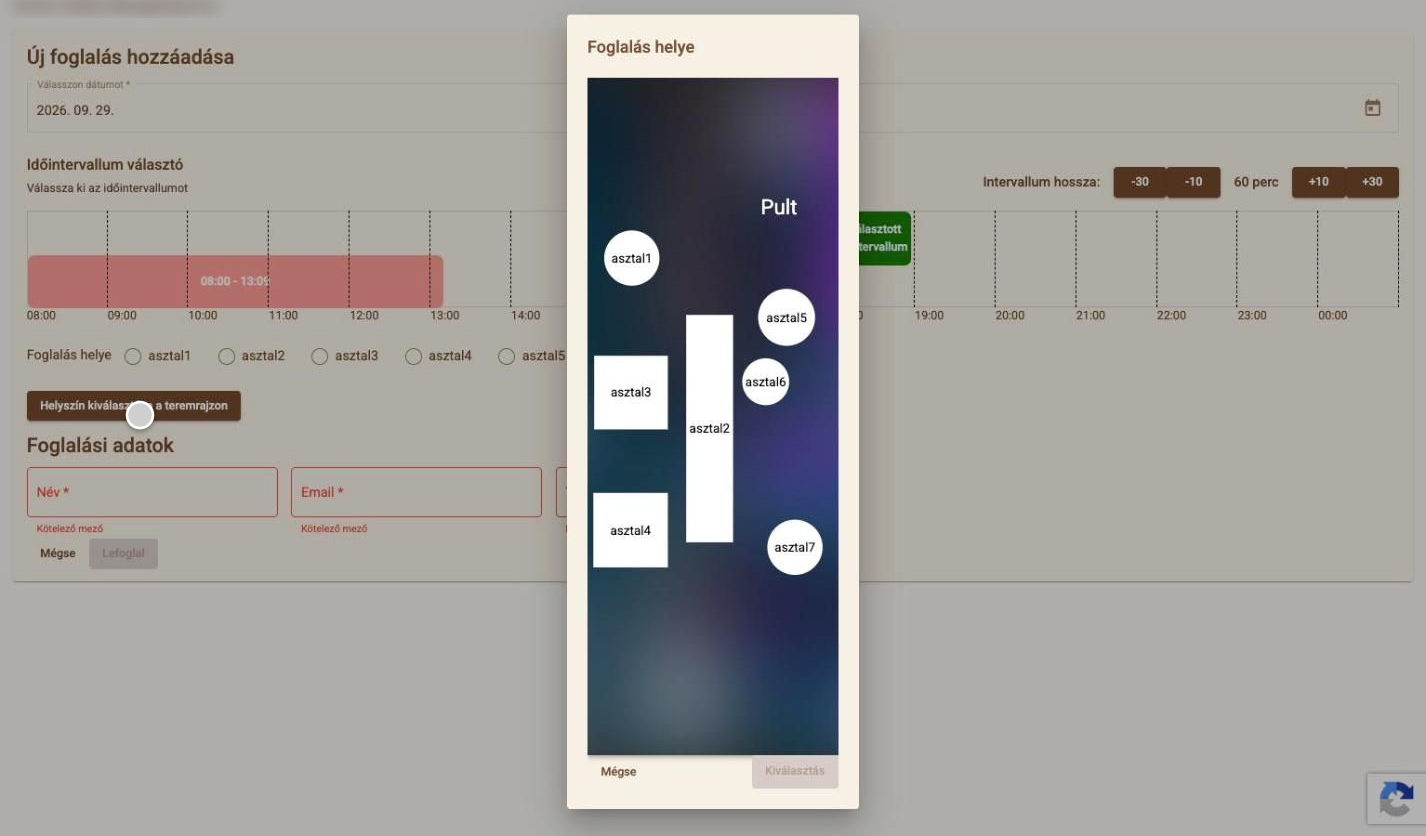
A table on the floor plan – the guest chooses
By the window, near the bar? Guests can tap their favourite table on your own floor plan. The table map uses the very same plan.
Table map and table managementWhat table reservations include
- Public online booking page
- Free slots based on opening hours
- Table choice from a list or the floor plan
- Email confirmation and cancellation
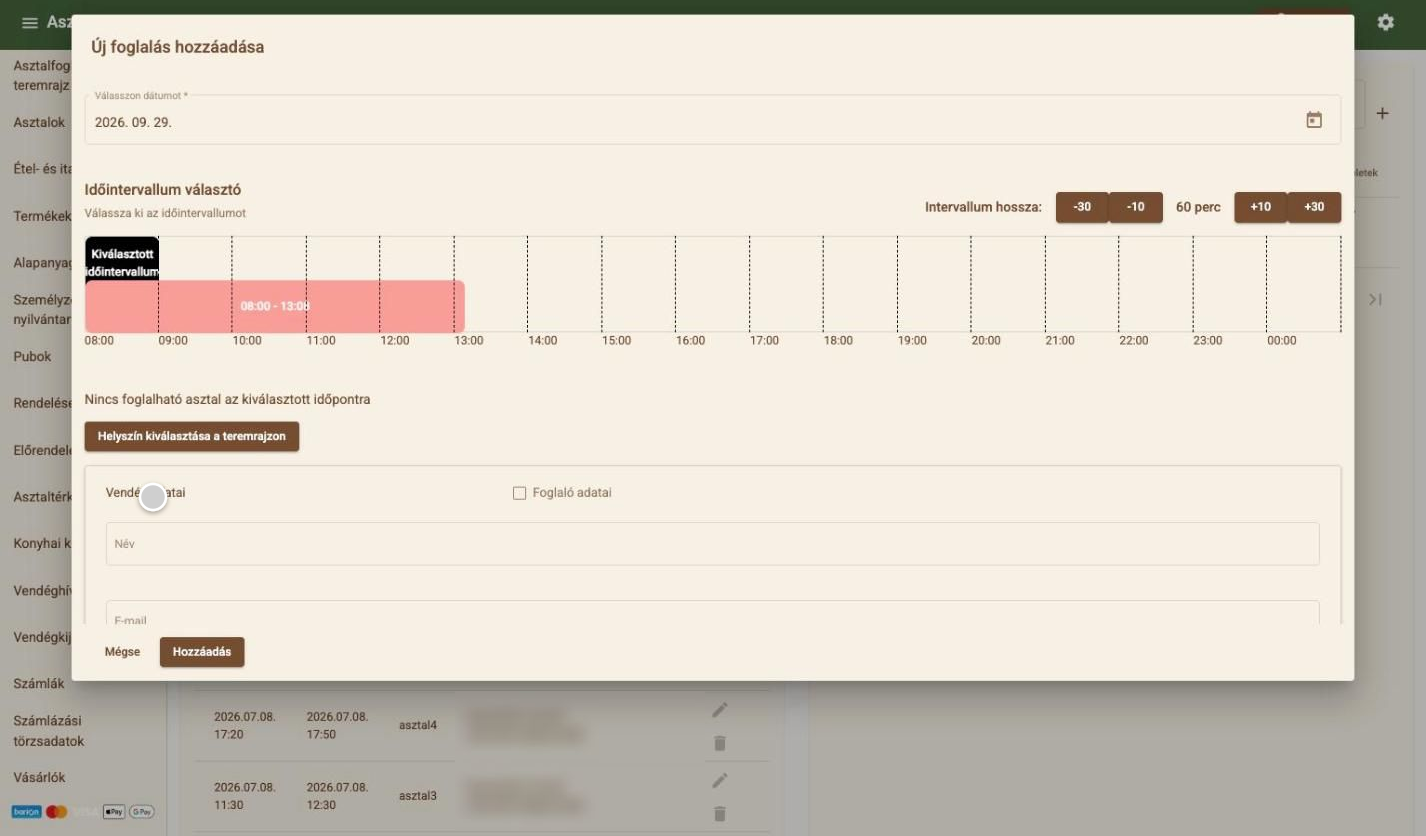
- Internal booking management for staff
- Searching and editing bookings
- Multiple levels, time-based layouts
- Shared floor plan with the table map
Want to see how guests would book with you?
Related features
Works well together with
- Table map and table managementYour own floor plan with open tabs – one tap shows what is on the table.
- Online ordering and QR menuYour own online menu and QR code: counter, table or delivery orders – at just 0.5% commission.
- Guest management and CRMA customer database and regulars – no retyping details for returning guests.
Contact
Let's talk about how it would work for you
Tell us what kind of venue you run, and we will get back to you with a tailored demo.
Get in touch
- Emailinfo@orderly.hu
- Phone+36 30 644 7805