Ordered today,
picked up tomorrow
A cake for Saturday, a corporate lunch for tomorrow, pizzas for Friday noon: each advance order gets an exact pickup time and appears in the kitchen when it is time to start cooking.
Scheduled order
Nothing to remember.
Orderly sends each pre-order to the kitchen at the right time – immediately, a set number of minutes before pickup, or at a fixed time each day. On the kitchen display and the printer alike.
- TakenTuesday 14:10 · by phone
- Appears in the kitchenWednesday 11:30 · on its own
- PickupWednesday 12:00 · freshly made
Taken in advance, ready on time
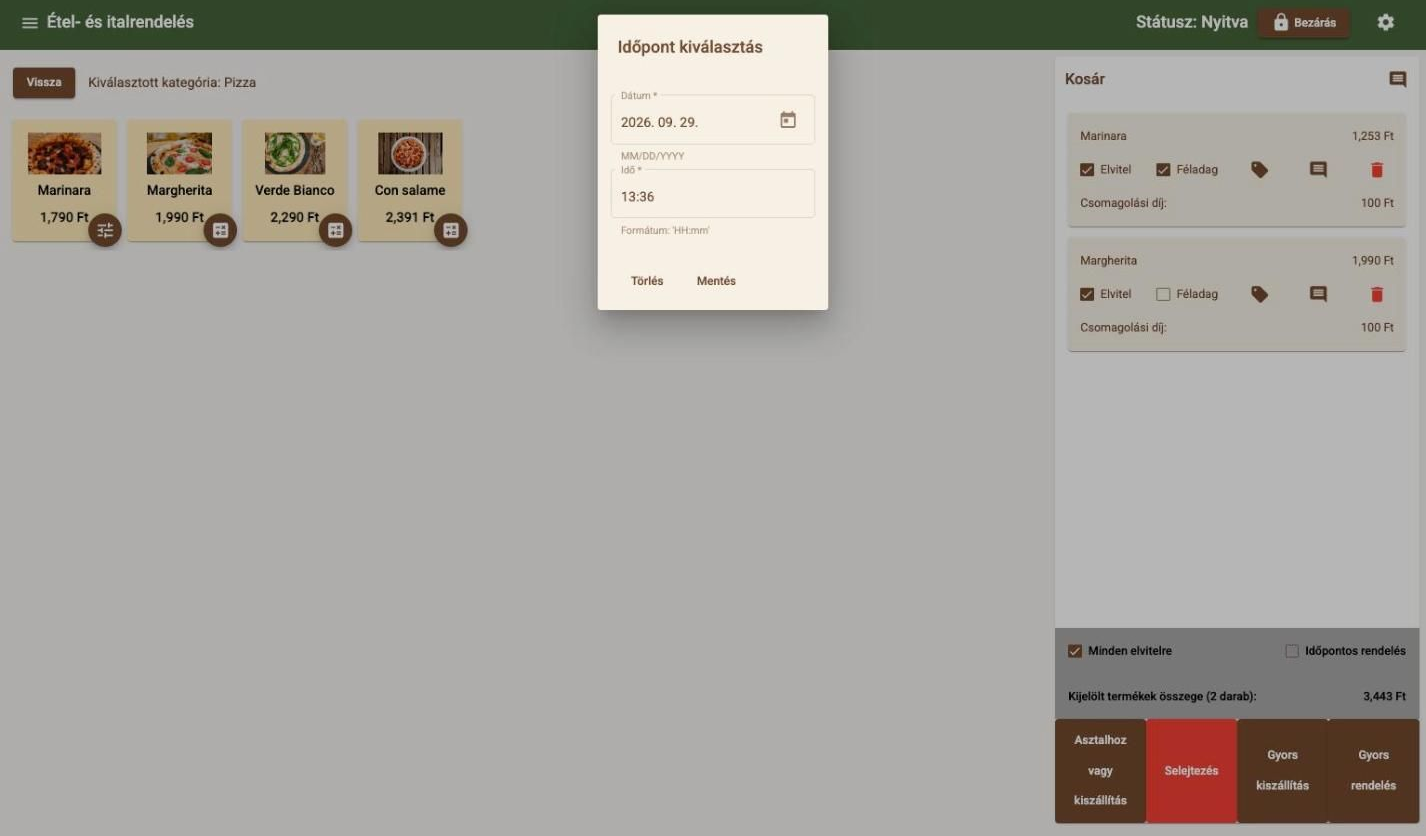
Phone or walk-in pre-orders are created in the same basket as any other order.
 Pickup: Wednesday 12:00
Pickup time in the basket
One tick, a date, a time – done. No notebook, no separate screen.
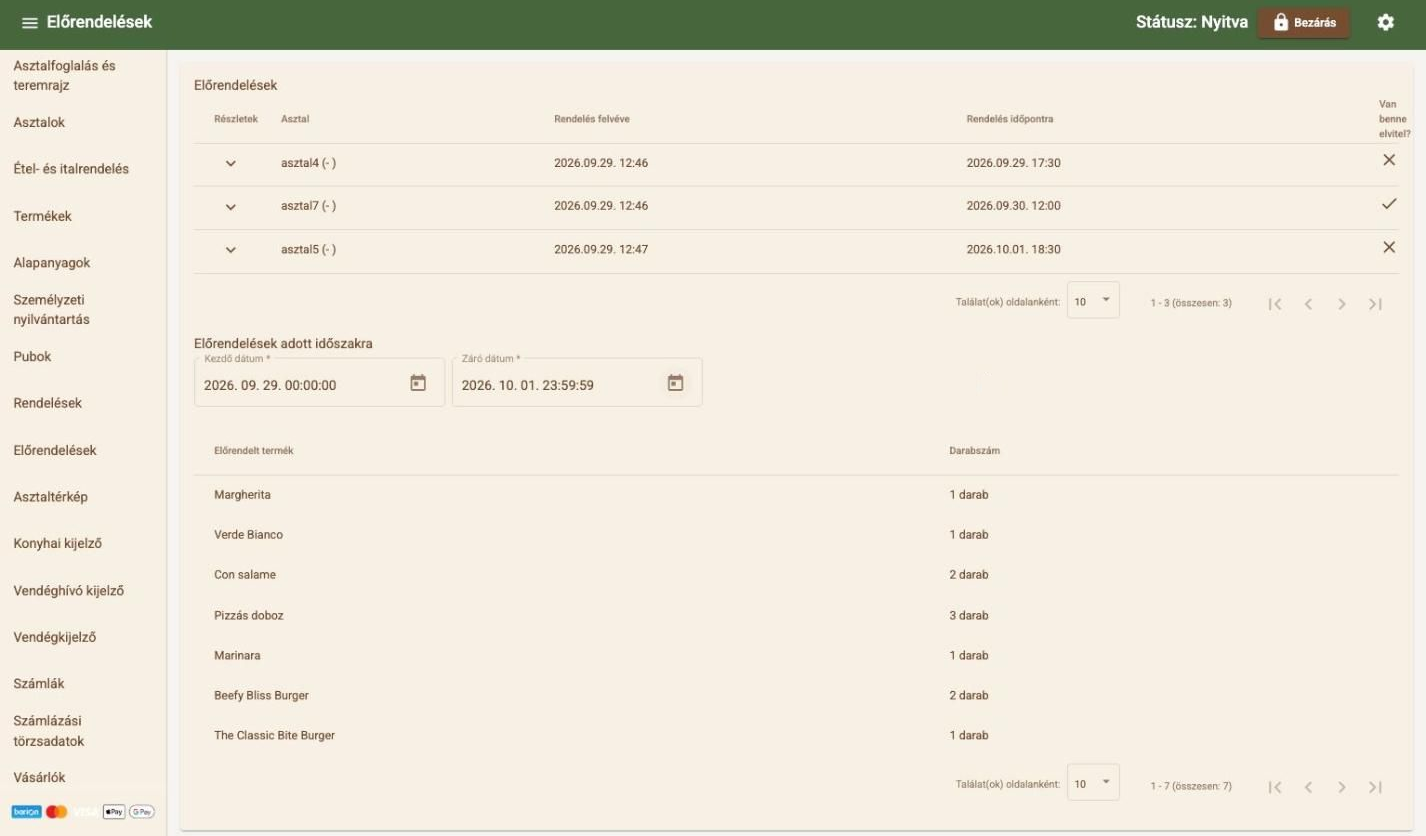
 Con salame · 2 pcsPizza box · 3 pcs
Know in advance what to make and buy
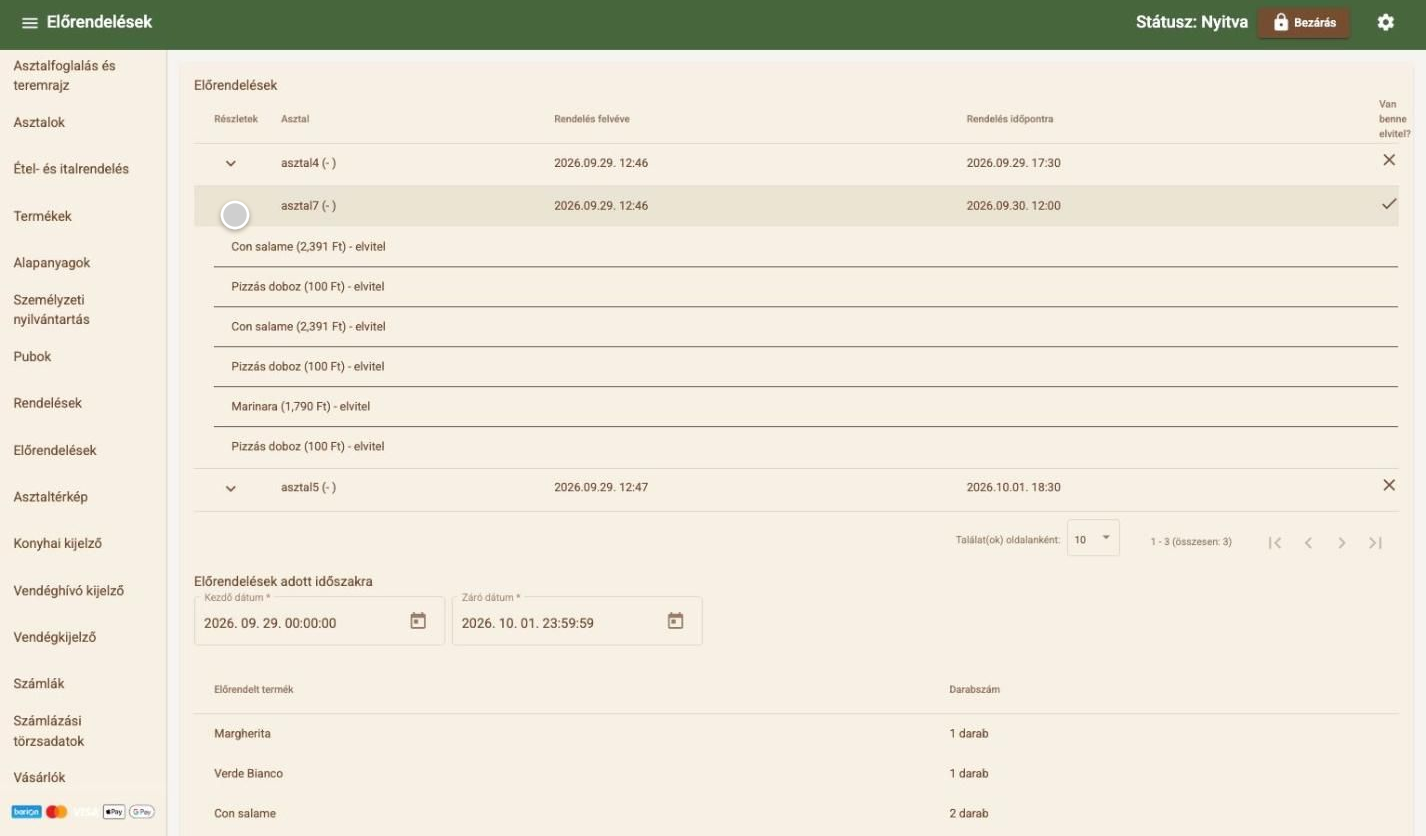
The period summary adds up how many of each product are due in a chosen period – packaging included. Purchasing and prep can be planned precisely.
What pre-orders include
- Pickup time in the basket
- Pre-order list
- Product summary per period
- To the kitchen now, X minutes before or at a fixed time
- Separate printers for food, drinks, other
- Online pre-ordering within set periods
Works well together with
- Daily and weekly menusDated daily menus and weekly bundles at a bundle price – which guests can order in advance, in one go.
- Kitchen printing and KDSTicket or screen: orders reach the kitchen instantly, and ready dishes are flagged.
- Online ordering and QR menuYour own online menu and QR code: counter, table or delivery orders – at just 0.5% commission.
- Purchasing and suppliersSee what will run out and when – and the supplier order is ready in one click.
Let's talk about how it would work for you
Tell us what kind of venue you run, and we will get back to you with a tailored demo.
Get in touch
- Emailinfo@orderly.hu
- Phone+36 30 644 7805